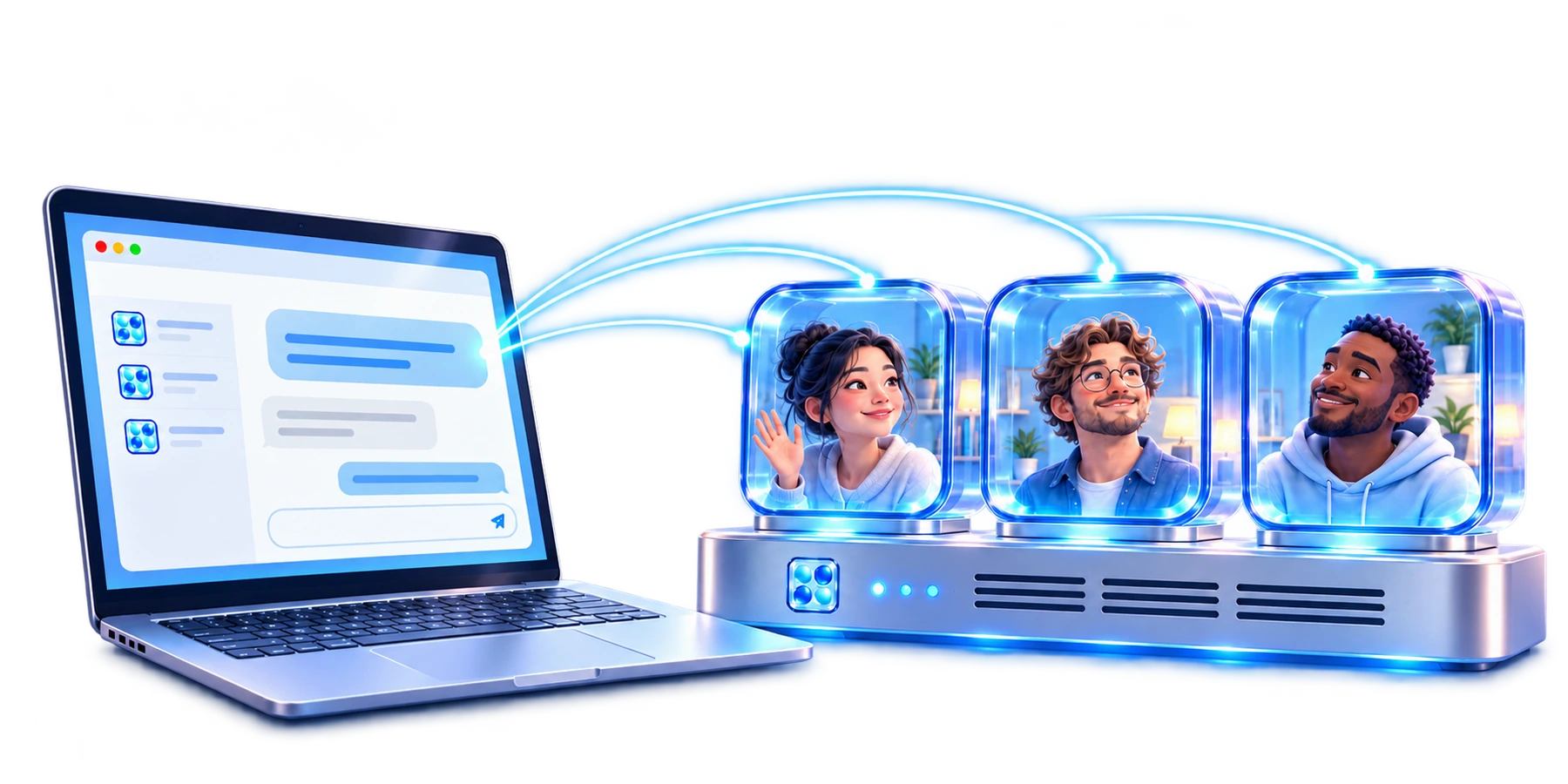
A ChatGPT desktop app connected to three independent Codex environments managed by Dotbox, shown as Digital Persons in blue glass homes on a shared server.
Your ChatGPT appOne familiar place to work Your computer or serverIndependent Codex environments

How it works

Your own Codex environments.

Dotbox is a system for creating and managing multiple independent Codex environments on your own computer or server.

  1. Learn at dotbox.fun

    Your agent uses this website’s WebMCP tools to learn about Dotbox and how to install it.

  2. Download & install

    Your agent downloads and installs Dotbox on your own computer or server, then creates your Digital Persons and their Codex environments.

  3. Connect in ChatGPT

    Open your Codex environments as remote host projects in your ChatGPT desktop app.

dotbox.fun provides the software and guidance.
Your installed Dotbox runs independently of this website.

Your Digital Persons

People you can return to.

One person. Many conversations.
Continue an earlier conversation or start a new one with the same Digital Person and their Codex environment.
A place to keep their work.
Each Codex environment keeps its own native memory, conversation history and working files.
Tools that suit their purpose.
Choose instructions, skills and compatible MCP integrations for each Digital Person’s Codex environment.

A few possibilities

What could yours work on?

Three example Digital Persons you could create. Choose their purpose, give them the files and tools they need, and build from there.

Avery working at a laptop inside a blue glass Codex home, with software notes beside him.

Build something

Avery, your software partner.

You’re building a booking app. Give Avery access to its code and a place to keep project decisions.

A first conversation
“Find out why cancelled bookings still take up time slots.”
What stays in their Codex environment
Project files, fixes and notes explaining how the booking flow works.
When you return
Start a new conversation about recurring bookings. Avery can inspect the same code and saved notes.
Quinn studying source papers and a small building model inside her blue glass Codex home.

Explore a question

Quinn, your research collaborator.

You’re comparing ways to cool a community building. Give Quinn your questions, building notes and chosen research tools.

A first conversation
“Compare shade, ventilation and a reflective roof for this building.”
What stays in their Codex environment
A comparison with sources, assumptions and questions still to resolve.
When you return
The budget changes. Quinn can revisit the saved research, check what still applies and revise the comparison.
Morgan keeping a garden journal beside three potted herbs in his blue glass Codex home.

Grow something

Morgan, your gardening collaborator.

You want to learn what grows well in your garden. Give Morgan your planting notes and observations about sun and shade.

A first conversation
“Help me plan a manageable herb bed and a garden journal.”
What stays in their Codex environment
The bed plan, planting records and your seasonal observations.
When you return
Bring back what thrived and what didn’t. Morgan can use those records to help plan the next season.

Work directly with your Digital Persons in ChatGPT desktop, or ask your agent to work with them through Dotbox.

A few useful details

Good to know.

What is a Digital Person?

A named collaborator with their own complete, persistent Codex environment. Give them a purpose and a place to work, then return to the same Digital Person over time.

Where does Dotbox run?

On your own computer or server, with support for Linux, macOS and Windows. Your installed Dotbox and its data remain under your control. dotbox.fun provides the software and guidance.

What does Dotbox add?

Dotbox gives your agent MCP tools to create, equip and manage Digital Persons and their Codex environments over time. It is free and open source, and uses your ChatGPT account for Codex access.

Start with your agent.

Ask your agent to use our WebMCP tools.

A prompt to take with you

Visit https://dotbox.fun and use its WebMCP tools to learn about Dotbox, explain it to me, and help me install it on my own computer or server.